Your whole life,
one quiet place.
Tasks, habits, money, notes, goals — seventeen tools most people juggle across a dozen apps. Plannr.do holds all of it in a single, private, distraction-free space. Just start typing.
You don't have a productivity
problem. You have seventeen tabs.
A to-do app. A separate one for habits. A budgeting tool you stopped opening. Notes in three places. Goals in your head. Every app wants to be your whole life — none of them talk to each other, and the switching cost is the real work.
Type it like you'd
say it. Done.
No forms. No picking a category from a dropdown. Write "coffee 4.50" or "gym tomorrow 7am" or "call Sarah about the lease" — Plannr.do reads the words, figures out where it belongs, and files it. One box for your entire life.
- Understands amounts, dates, times and people
- Routes to the right section automatically
- Learns from your corrections, on-device
Everything, grouped the
way your life already is.
Twenty-one sections sit inside six calm hubs. Open the one you need, ignore the rest — and they quietly feed each other in the background.
One entry.
Every place it belongs.
This is the part other apps can't do. Your sections aren't twenty-one separate tools sitting in one window — they feed each other. Add a task with a due date and it's already on your calendar. Add a subscription and Plannr.do posts the transaction to Finance on the billing date, then rolls the date forward. Plan a week of meals and it builds the grocery list for you.
- Tasks with due dates appear on the calendar automatically
- Subscriptions post real transactions to Finance on schedule
- Meal plans aggregate into one grocery list, as a task
- Analytics reads across habits, goals, tasks, money and mood
The one screen that
tells you where you stand.
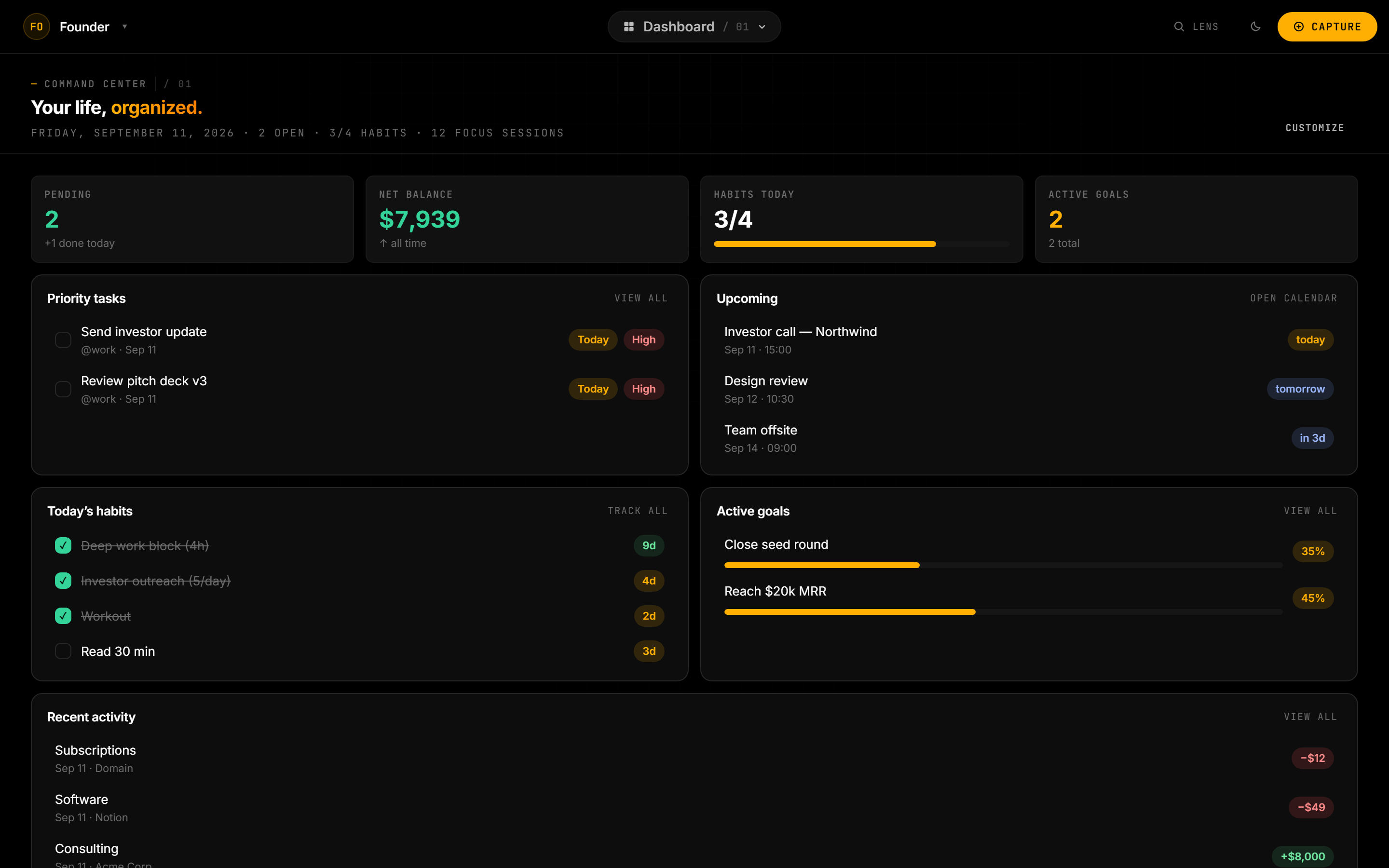
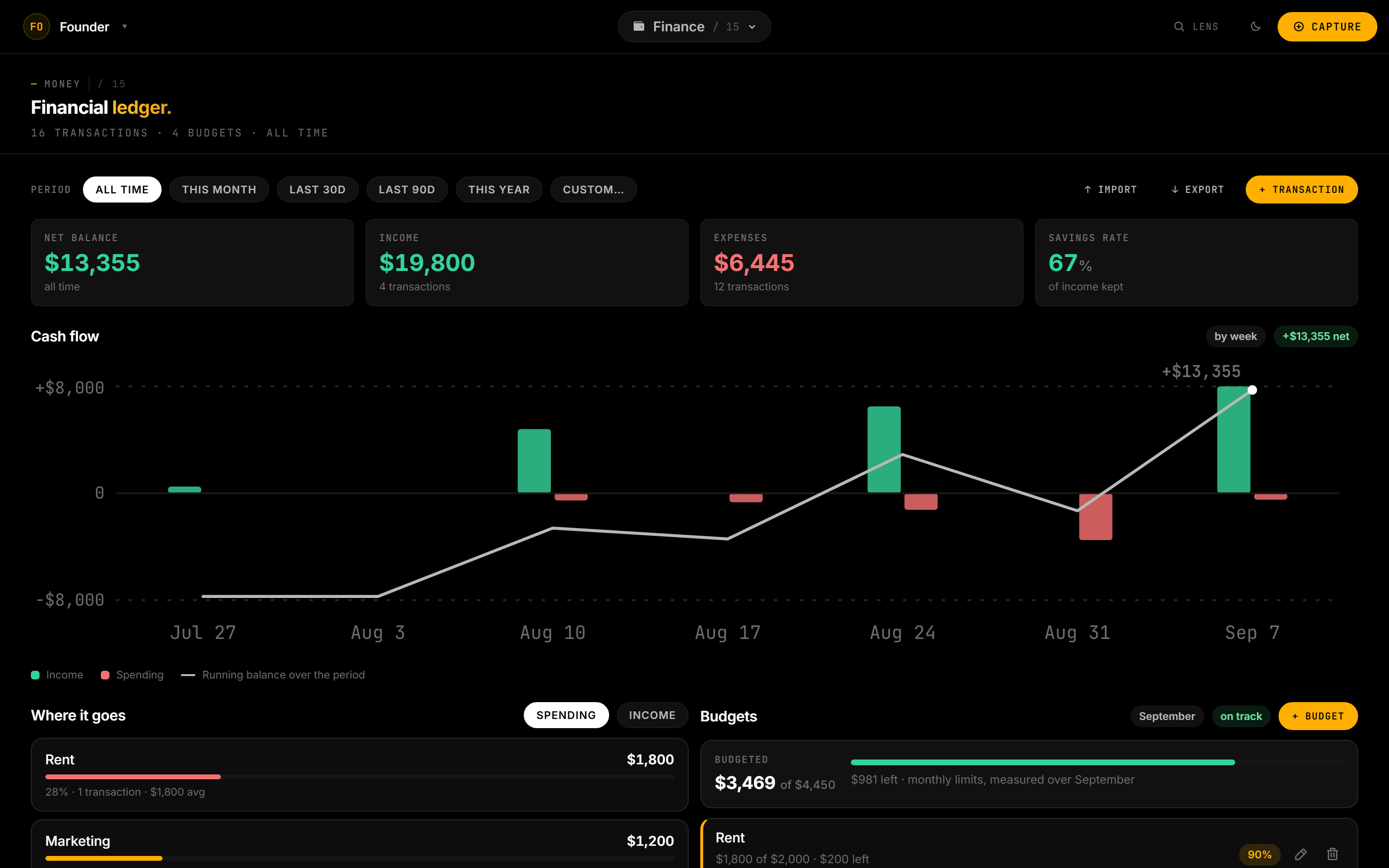
Money in, money out,
and what's left.
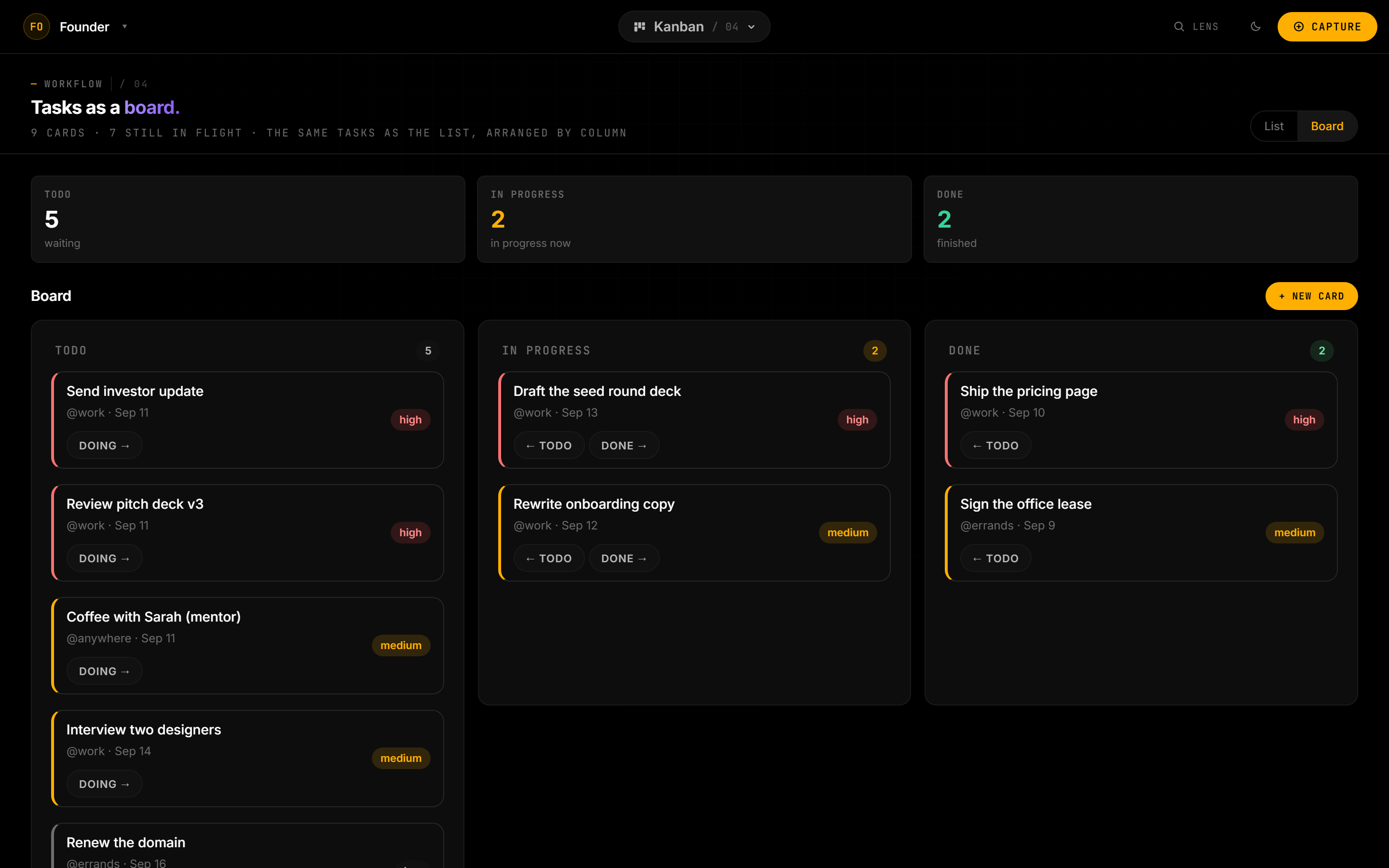
The same tasks,
arranged the way you think.
Private by default.
Honestly.
Your content — every task, note, transaction — syncs to your own private account, so it's waiting on every device you sign in on. It travels over encrypted connections and is reachable only by you. It isn't mined, sold, or used to train anything.
Synced, never sold
Your data syncs to your private account and follows you between devices. Export it as JSON anytime.
Yours, and only yours
Access is locked to your authenticated account. We don't read your content or build profiles from it.
No ads, no feed, no noise
Nothing competes for your attention. It's a room to think, not a place to scroll.
Try the whole thing.
Free for 14 days.
Every section, the full capture engine, sync across your devices — all of it, for two weeks, without entering a card. Keep it for $11.99 a month, or walk away and nothing you made is deleted.
Good questions.
Yes — 14 days of the whole app, all twenty-one sections, with no card required to start. After that it is $11.99 a month billed yearly, or $14.99 month to month. If you decide not to subscribe, nothing you created is deleted. See pricing →
Your account is what keeps Plannr in sync across your devices and safely backed up. Sign in anywhere and your whole setup is there, exactly as you left it. It's also how we know which plan you're on.
Yes. Connect it once and the meetings you already keep appear beside your tasks, deadlines and habits, so one screen holds the whole day. It is read-only — Plannr.do can see your events and never changes, adds or deletes anything in Google. Disconnect whenever you like and the connection is deleted. Calendars from anywhere else can be added by pasting their subscribe link. How we handle it →
In your own private, authenticated space in the cloud, synced to every device you sign in on and encrypted in transit. A copy is cached on each device so the app stays fast and keeps working through a brief connection drop. You can export everything as JSON whenever you like. Nothing is sold or shared.
Not at all. Most people live in three or four. Open what's useful, ignore the rest — they're there the day you want them, with nothing to install. The connections still work in the background: a task you add today lands on the calendar whether or not you open it.
It parses amounts, dates, times and names to route what you type to the right section — the parsing runs right in the app, with no AI server and nothing extra uploaded. And it nudges toward your own choices over time.
Yes. Sign in on your laptop, your phone, wherever — your setup syncs automatically and picks up where you left off. Nothing to move across by hand.